
You flip on the lights, and instead of a steady, comfortable glow, you get a subtle — or not so subtle — flicker. It might look like a slow pulse, a rapid strobe, or an occasional blink you catch in your peripheral vision. Whatever form it takes, LED light flickering is one of the most common complaints homeowners and electricians encounter, and it is almost always fixable once you know what is causing it.
The good news is that LED lights themselves are rarely the root problem. In most cases, flickering traces back to something upstream: the dimmer switch, the wiring, the circuit load, or a compatibility mismatch somewhere in the system. This guide walks you through the 7 most common causes of LED flickering and gives you clear, practical steps to diagnose and resolve each one — whether you are a homeowner doing your own troubleshooting or a contractor optimizing a full installation.
Why Do LED Lights Flicker?
LEDs operate differently from incandescent bulbs. Incandescent bulbs produce light by heating a filament, which naturally smooths out minor electrical inconsistencies. LEDs, by contrast, respond almost instantly to changes in voltage or current — which means any instability in the power supply, wiring, or control devices shows up immediately as visible flicker. This sensitivity is not a flaw; it is actually a byproduct of the precision engineering that makes LEDs so energy-efficient and long-lasting (50,000+ hours of rated life). But it does mean the supporting components in your electrical system need to be compatible and in good working order.
Below are the seven most common culprits behind flickering LED lights, along with how to fix each one.
1. Incompatible or Non-Dimmable Dimmer Switch
This is the single most frequent cause of LED flickering, particularly in homes that recently switched from incandescent to LED lighting. Traditional dimmer switches were engineered for the high wattage and resistive load of incandescent bulbs. LEDs draw significantly less power, and many older dimmers cannot regulate that low a load accurately — resulting in flicker, buzzing, or lights that drop out entirely at the low end of the dimming range.
There are two variations of this problem. First, you may be running a dimmable LED on a dimmer that is simply not rated for LED loads. Second, some LED fixtures and bulbs are not dimmable at all, and connecting them to any dimmer — regardless of quality — will cause flicker or damage the driver over time.
How to Fix It
- Replace your existing dimmer with a dimmer switch specifically rated for LED loads (look for "LED compatible" or "LED/CFL" labeling).
- Check that your LED fixture or bulb is labeled as dimmable before connecting it to any dimmer circuit.
- If you are using recessed lighting, make sure the specific fixture you have installed lists its compatible dimmers — many quality LED recessed lights publish a compatibility list.
- Set the dimmer's low-end trim adjustment (a small dial inside the switch) to prevent the light from reaching a voltage level where it flickers or drops out.
2. Loose Wiring or Poor Connections
A loose wire at the fixture, junction box, or panel is a serious cause of flickering — and unlike a dimmer compatibility issue, it is also a potential safety hazard. When a connection is intermittent, current flow to the fixture becomes inconsistent, producing visible flicker that may worsen over time as the connection degrades further. Loose wiring can occur during installation if connections are not secured properly, or it can develop gradually in older wiring as connections oxidize or loosen from vibration.
One common installation mistake is using traditional wire connectors that rely on twisting to create a grip, which can loosen over time — especially in fixtures that experience thermal expansion and contraction through heating and cooling cycles.
How to Fix It
- Turn off power at the breaker before inspecting any wiring.
- Check connections at the fixture itself, the junction box, and the wall switch.
- Use Push-in Wire Connectors for all connections: strip wire ends to the appropriate length, then insert them firmly into the connector ports until they click into place — no twisting required. This method creates a more reliable, consistent connection than traditional alternatives and holds up better over the life of the installation.
- If flickering is widespread across multiple fixtures or rooms, have a licensed electrician inspect your panel for loose connections there.
3. Voltage Fluctuations in Your Home
Residential electrical systems in the U.S. are nominally rated at 120V, but the actual voltage at any outlet or fixture can vary. Brief voltage spikes — sometimes called transients — occur when large appliances cycle on and off. HVAC systems, refrigerators, washing machines, and other motor-driven devices draw a surge of current at startup, which momentarily pulls voltage down on the circuit. If your LEDs are on a circuit shared with these appliances, you may notice a quick blink or flicker each time the appliance kicks on.
Persistent or severe voltage fluctuation, however, can indicate a more significant issue with your home's electrical service and should be evaluated by a professional.
How to Fix It
- Move your lighting to a dedicated circuit, separate from high-draw appliances.
- Have an electrician check the voltage at your panel and at affected outlets using a multimeter.
- If voltage regularly runs above 125V or dips below 110V, your utility provider or a licensed electrician should investigate the supply side.
4. Overloaded Circuit
Each circuit in your home is rated for a maximum amperage, typically 15 or 20 amps for residential lighting circuits. When the combined load of all devices on a circuit exceeds that rating, the breaker trips — but before it trips, the voltage on the circuit may sag, causing lights to flicker noticeably. This is most common in older homes where circuits were designed for incandescent bulb loads and have since been expanded with additional outlets, fixtures, or devices.
How to Fix It
- Calculate the total wattage of all devices on the circuit. For a 15-amp, 120V circuit, the safe maximum load is around 1,440 watts (80% of 1,800W).
- Move some devices or fixtures to a different circuit, or have an electrician add a new dedicated circuit.
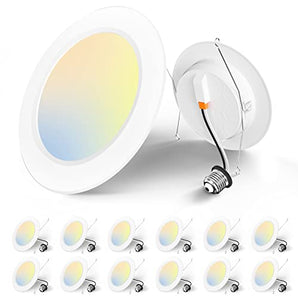
- Switching to more energy-efficient LED fixtures across the board reduces circuit load significantly. For example, replacing older fixtures with 6-inch recessed LED lighting can cut per-fixture wattage from 65–75W (incandescent equivalent) to as low as 12–14W.
5. Low-Quality or Failing LED Drivers
The LED driver is the component inside an LED fixture or integrated bulb that converts AC power from your wall into the DC power LEDs require. A high-quality driver regulates this conversion smoothly, delivering consistent current regardless of minor fluctuations in the supply voltage. A low-quality driver — or one that has begun to fail — does a poor job of this regulation, and the result is flicker that often gets worse over time as the driver degrades further.
This is particularly relevant with very cheap LED products where cost cutting on internal components is common. Flicker caused by a failing driver typically starts subtle and increases in frequency or intensity over weeks or months.
How to Fix It
- If a specific fixture is flickering while others on the same circuit are not, the driver in that fixture is likely the issue.
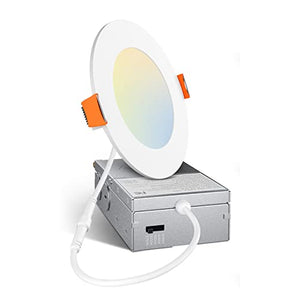
- Replace the fixture with a quality product from a reputable manufacturer. Amico's LED fixtures — including 4-inch canless LED recessed lighting and flat panel lights — use quality drivers designed for stable, consistent output, with ETL and FCC certification backing their electrical performance.
- Avoid extremely low-cost, uncertified LED products, especially for permanent installations in commercial or industrial settings.
6. Incompatible Fixtures or Bulbs
Not all LED products are interchangeable with all fixtures, and mismatches can cause flickering even when every individual component seems fine on its own. This is especially common when retrofitting older fixtures that were designed for incandescent or fluorescent sources. The fixture's ballast (in fluorescent retrofits) or internal wiring may not be optimized for the electrical characteristics of an LED source. Similarly, running an LED bulb in a fully enclosed fixture not rated for that purpose can cause heat buildup that stresses the driver and causes flicker.
How to Fix It
- When retrofitting fluorescent fixtures, use either a direct-wire (ballast bypass) LED tube or a plug-and-play LED tube rated for the specific ballast in your fixture — not all ballasts are compatible with all LED tubes.
- For recessed can lights, consider a purpose-built retrofit LED fixture designed specifically for the can size you have installed. Amico's retrofit fixtures are integrated units — the LED module and trim are built as a single piece, making installation straightforward and eliminating the compatibility guesswork of mixing separate components.
- For open commercial and industrial spaces, high bay lights are purpose-engineered for their application and avoid the compatibility issues that come with adapting consumer LED bulbs to industrial fixtures.
7. Bulb Is Loose or Not Seated Properly
This one is easy to overlook precisely because it is so simple. If an LED bulb is not screwed firmly into its socket, or if the socket itself has worn contacts that no longer make solid contact with the bulb base, the connection will be intermittent and flickering will result. This can also happen in fixtures where vibration from nearby equipment, foot traffic above a ceiling, or HVAC airflow gradually works a bulb loose over time.
How to Fix It
- Turn off the light and allow it to cool completely before handling.
- Reseat the bulb firmly in the socket, ensuring it is fully engaged.
- Inspect the socket contacts for signs of corrosion, burning, or deformation. Corroded contacts can often be gently cleaned; damaged sockets should be replaced.
- For high-vibration environments, look for LED fixtures specifically rated for vibration resistance.
Quick Troubleshooting Summary
If you are not sure where to start, use this sequence to systematically narrow down the cause:
- Check if the bulb is seated properly — It takes 30 seconds and rules out the simplest cause first.
- Test with the dimmer bypassed — Plug the fixture directly into a non-dimmed circuit temporarily. If flickering stops, the dimmer is the issue.
- Isolate the circuit — Does the flicker happen only when other appliances are running? If so, voltage fluctuation or circuit overload is likely.
- Swap the fixture — If only one fixture flickers while others on the same circuit are fine, the issue is with that fixture's driver or its specific compatibility.
- Inspect connections — If multiple fixtures on the same circuit flicker and the above steps don't resolve it, inspect wiring connections at the junction box and switch, using Push-in Wire Connectors to re-secure any questionable connections.
- Call an electrician — If flickering is widespread, worsens over time, or is accompanied by tripping breakers or burning smells, bring in a licensed electrician. These are signs of a potentially serious electrical issue.
How to Prevent LED Flickering Long-Term
The best time to prevent LED flickering is during the initial installation, before it ever becomes a problem. Choosing quality, certified LED fixtures and pairing them with compatible controls and properly executed wiring goes a long way toward a flicker-free system that lasts for years. Here are the key principles to keep in mind:
- Buy certified products. Look for ETL and FCC certified fixtures — this confirms they have been independently tested against established electrical safety and performance standards.
- Match your dimmer to your LED. Always verify dimmer compatibility before installation, and use dimmers rated specifically for LED loads.
- Use reliable wiring methods. Push-in Wire Connectors provide a more consistent, durable connection than traditional alternatives and are the right choice for permanent LED installations.
- Don't mix fixture types on a dimmer circuit. Running different LED products from different manufacturers on the same dimmer often causes flicker due to differing driver characteristics.
- Choose purpose-built fixtures. Whether you need gimbal recessed lights for directional accent lighting, industrial lighting for a warehouse or facility, or ceiling fan light kits for combination fixtures, using products designed for their specific application minimizes compatibility issues from the start.
- Inspect your electrical system periodically. In older homes especially, having a licensed electrician review your panel, breakers, and wiring every few years can catch developing issues before they show up as flicker — or worse.
LED lighting rated at 50,000+ hours should deliver years of trouble-free performance with a CRI of 80+ for accurate, true-to-life color rendering. When it flickers, it is almost always the environment around the fixture — not the LED itself — that needs attention. Address the root cause, and your lights will reward you with the stable, efficient illumination they were designed to provide.
The Bottom Line
Flickering LED lights are frustrating, but they are rarely a mystery once you know where to look. Whether the culprit is an outdated dimmer, a loose wire connection, a struggling driver, or a simple compatibility mismatch, every one of the seven causes covered here has a clear, actionable fix. Start with the simplest checks first, work your way through the troubleshooting sequence, and do not hesitate to call a licensed electrician if the problem points toward your panel or main electrical service. With the right fixtures, the right controls, and properly executed wiring, LED flickering is entirely preventable — and with 50,000+ hours of rated life on quality LED products, getting the installation right from the start is absolutely worth the effort.
Outfitting a Commercial or Multi-Unit Space?
If you are managing a large-scale LED lighting project — whether a commercial buildout, a multi-family property, or an industrial facility — Amico's bulk sales program offers tiered volume discounts on our full range of ETL and FCC certified LED fixtures. From recessed lighting and flat panel lights to high bay lights and emergency exit lights, we have everything you need to spec a complete, flicker-free installation at scale.
Request a Wholesale Quote